
How to Verify Your Business on Check Review
Verifying your business on Check Review is an important step toward building trust and credibility with customers. A verified business profile confirms that you are the real owner or authorized manager of the business and helps users feel confident when reading or leaving reviews.
This guide explains exactly how to verify your business ownership on Check Review, what documents are accepted, and how to submit your verification successfully.
Why Business Verification Matters
Business verification helps protect both consumers and businesses. It ensures that only legitimate owners can claim and manage business profiles, reducing impersonation and misinformation.
- Builds trust with potential customers
- Confirms your brand’s authenticity
- Prevents unauthorized business claims
- Improves credibility on your business profile
Verified businesses are more likely to gain customer confidence and long-term engagement.
Where to Find Business Verification
To start the verification process, log in to your Check Review account and navigate to your business dashboard. From there, open the Business Settings section and locate the Business Verification panel.
This is where you will submit proof that you own or manage the business domain.
Screenshot to add here: Business Verification page in the dashboard
Accepted Proofs for Business Ownership
To verify your business, you must provide at least one valid proof showing that you control the business domain. The information must be clear, up-to-date, and unmodified.
1. Domain Registrar Screenshot
You can upload a screenshot from your domain registrar account (such as Namecheap, GoDaddy, Cloudflare, Hostinger, or similar). The screenshot must clearly show:
- Your domain name
- Your logged-in account ownership
2. Hosting Panel Screenshot
A screenshot from your hosting control panel (such as cPanel, Plesk, CyberPanel, or similar) is also accepted. The domain must be visible under your hosting account.
- Domain name listed in hosting panel
- Account ownership clearly visible
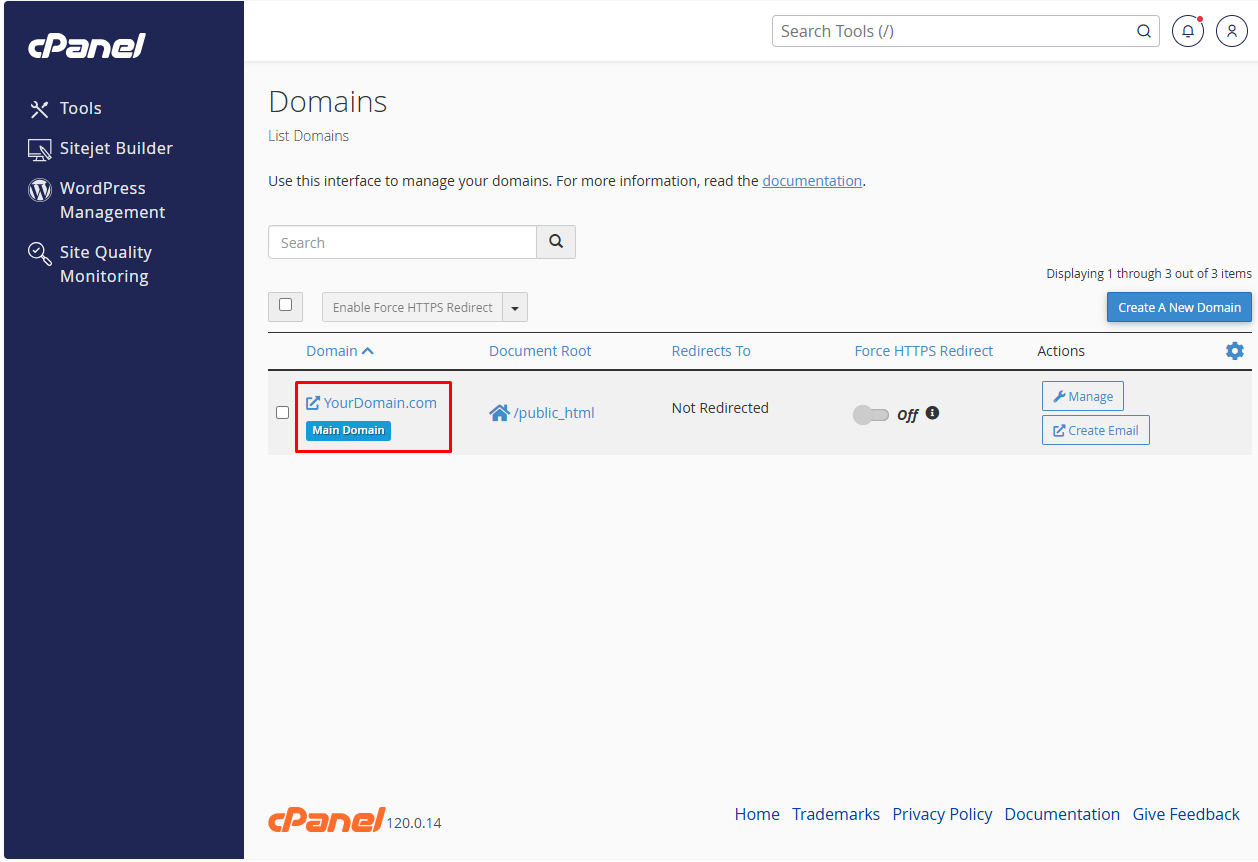
cPanel screenshot
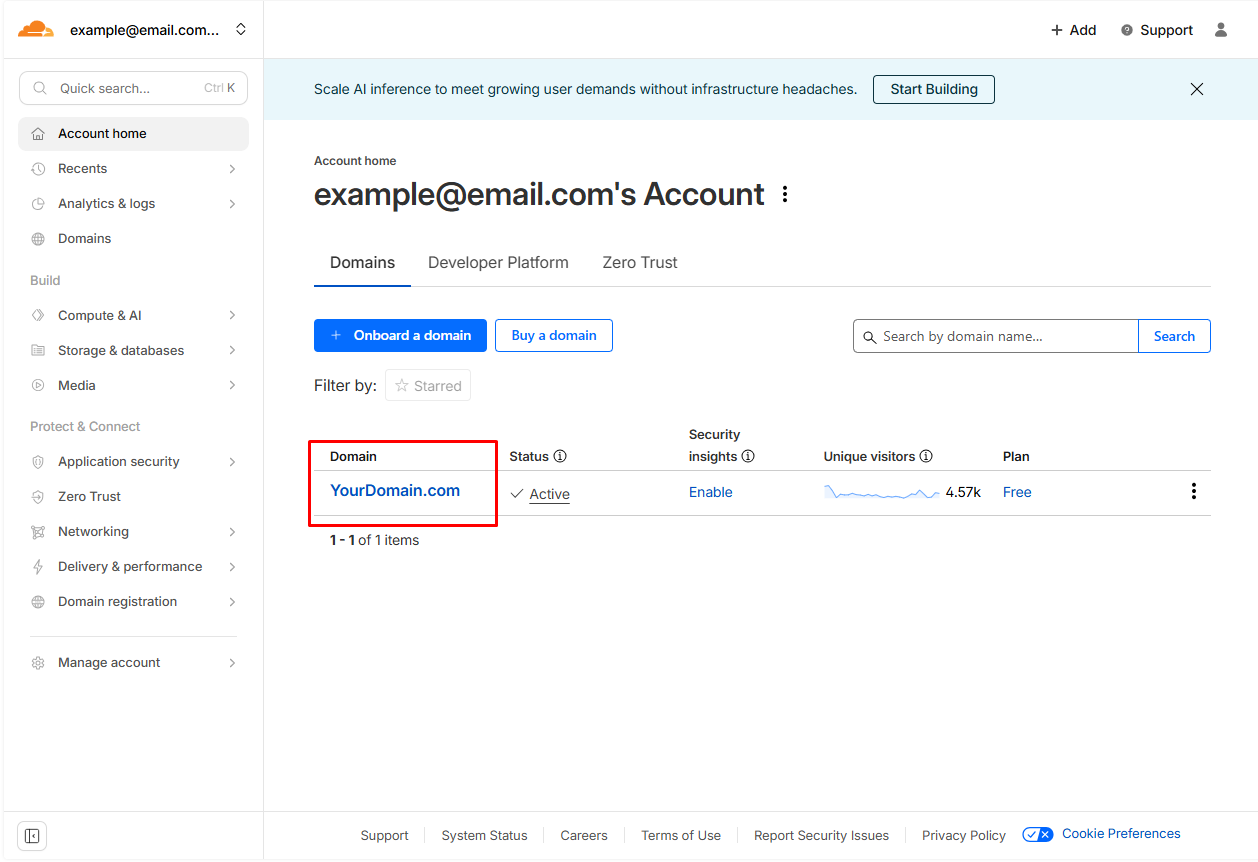
Cloudflare screenshot
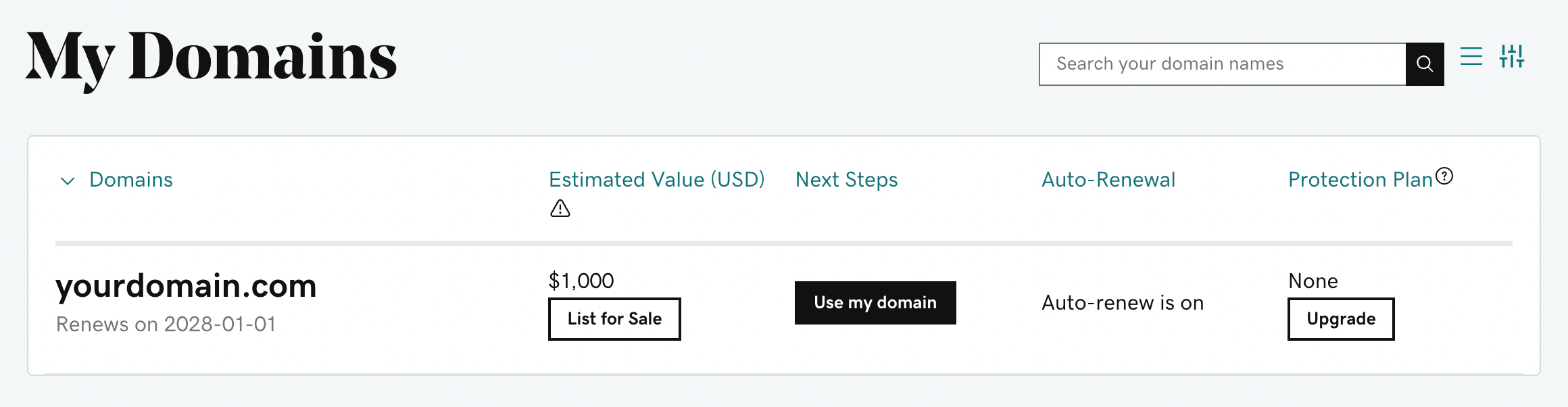
GoDaddy screenshot
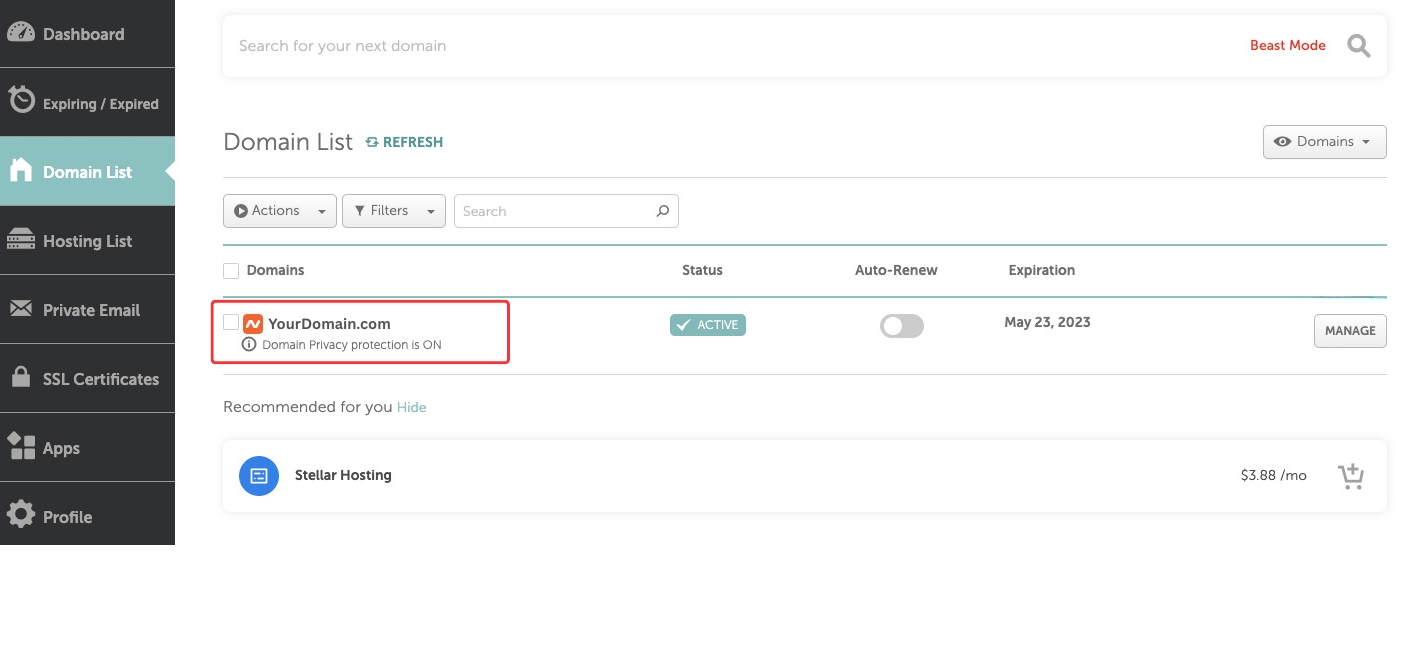
3. Verification Email From Domain-Based Email
You may verify ownership by sending a verification email from an email address that matches your domain, such as:
This confirms that you control email services linked to the domain.
Screenshot to add here: Business email inbox showing domain-based email
4. Other Valid Proofs
If the above options are not available, you may submit other verifiable proof showing domain control, such as:
- SSL certificate panel screenshot
- Admin email login showing domain-based access
Any proof submitted must clearly show domain ownership.
How to Upload Your Ownership Proof
Once you have prepared your verification document or screenshot, upload it directly through the Business Verification form.
- Click the Choose File button
- Select your file (JPG, JPEG, PNG, or PDF)
- Ensure the image is clear and readable
You may hide sensitive details such as account numbers, as long as the domain ownership information remains visible.
Screenshot to add here: Ownership proof upload section
Submitting Your Verification Request
After uploading your document, click the Submit button. Your verification request will be reviewed by the Check Review team.
During the review process:
- Your document is checked for authenticity
- Domain ownership is verified
- You may be contacted if additional information is required
Most verification requests are processed within a reasonable timeframe.
What Happens After Verification
Once your business is verified:
- Your business profile is marked as verified
- Customers see stronger trust signals
- Your profile gains added credibility
If verification is not approved, you may submit updated or additional proof.
Need Help With Verification?
If you experience any issues or are unsure which proof to submit, use the Need Help? option in your dashboard or contact the Check Review support team.
We are committed to maintaining a transparent and trustworthy platform for both consumers and businesses.
Final Thoughts
Business verification is a simple but powerful step toward building trust online. By verifying your ownership, you protect your brand, strengthen your credibility, and help create a more reliable review ecosystem.
We encourage all business owners to complete verification and take full advantage of the trust benefits it provides on Check Review.
Comments (0)